Creating User Personas from Business Summary
Overview
In this tutorial, you'll learn how to automatically generate user personas from a business summary using Clariteia's Generative AI. Understanding your user personas is crucial for tailoring your product or service to meet the specific needs of your target audience.
Prerequisites
- A Clariteia account
- A concise business summary
Steps
Step 1: Log in to Your Clariteia Account
Log in to your Clariteia account. If you don't have one, you can sign up here.
Step 2: Navigate to the Dashboard and Create a New Project
Once logged in, you'll land on the dashboard. Click on the “+” button to create a new project.

Step 3: Fill in Project Details
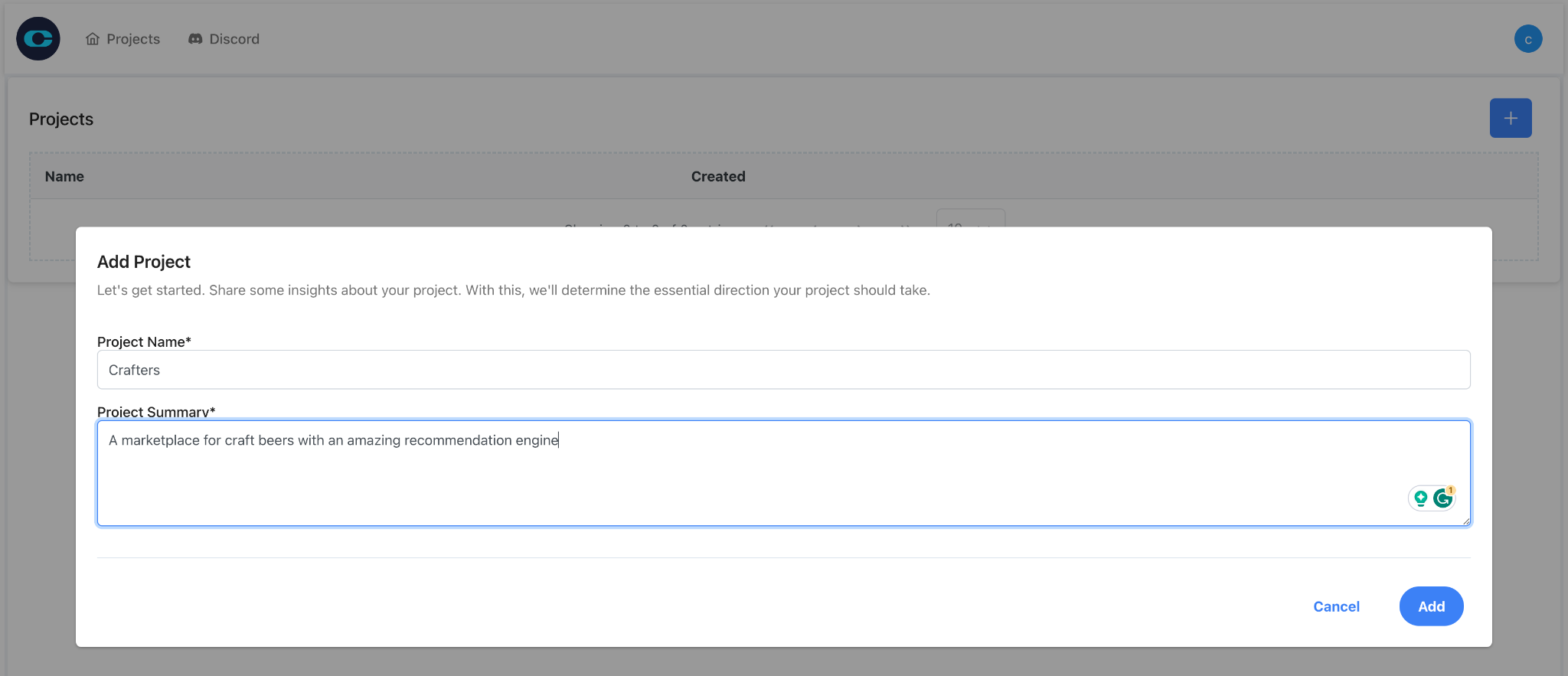
You'll see a form asking for the project name and business summary. Fill in the details.
Your business summary can be as short as "a marketplace for craft beers with an amazing recommendation engine." We advise including the type of platform (e.g., marketplace), the industry (e.g., craft beers), and your unique value proposition (e.g. an amazing recommendation engine).
Step 4: Wait for User Personas to Generate
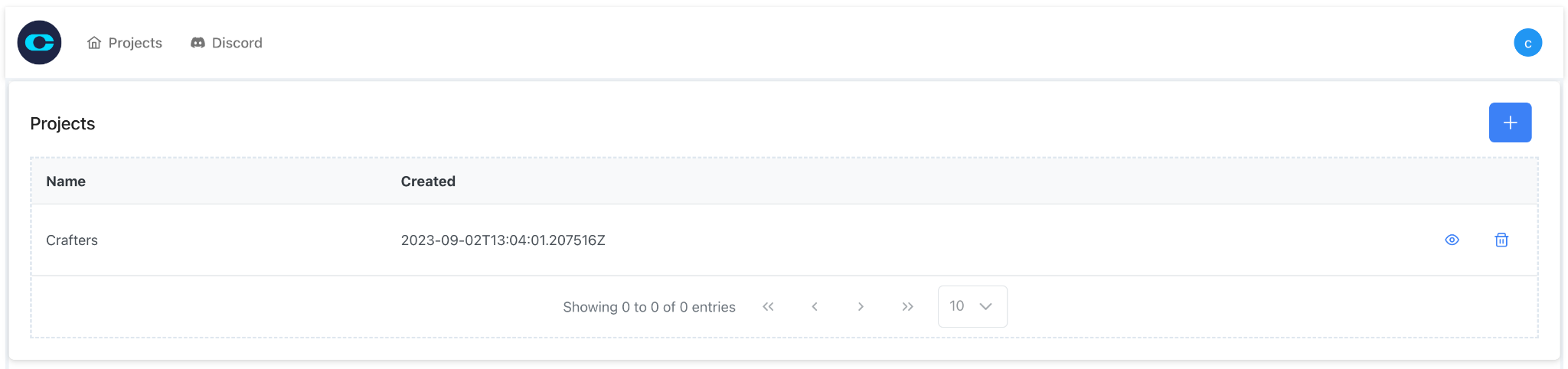
After creating the project, enter it to view its contents by clicking on the eye button in the right side of the project row. User personas will be automatically generated in the background. This may take a few seconds, so please be patient.
Step 5: Review Generated Personas
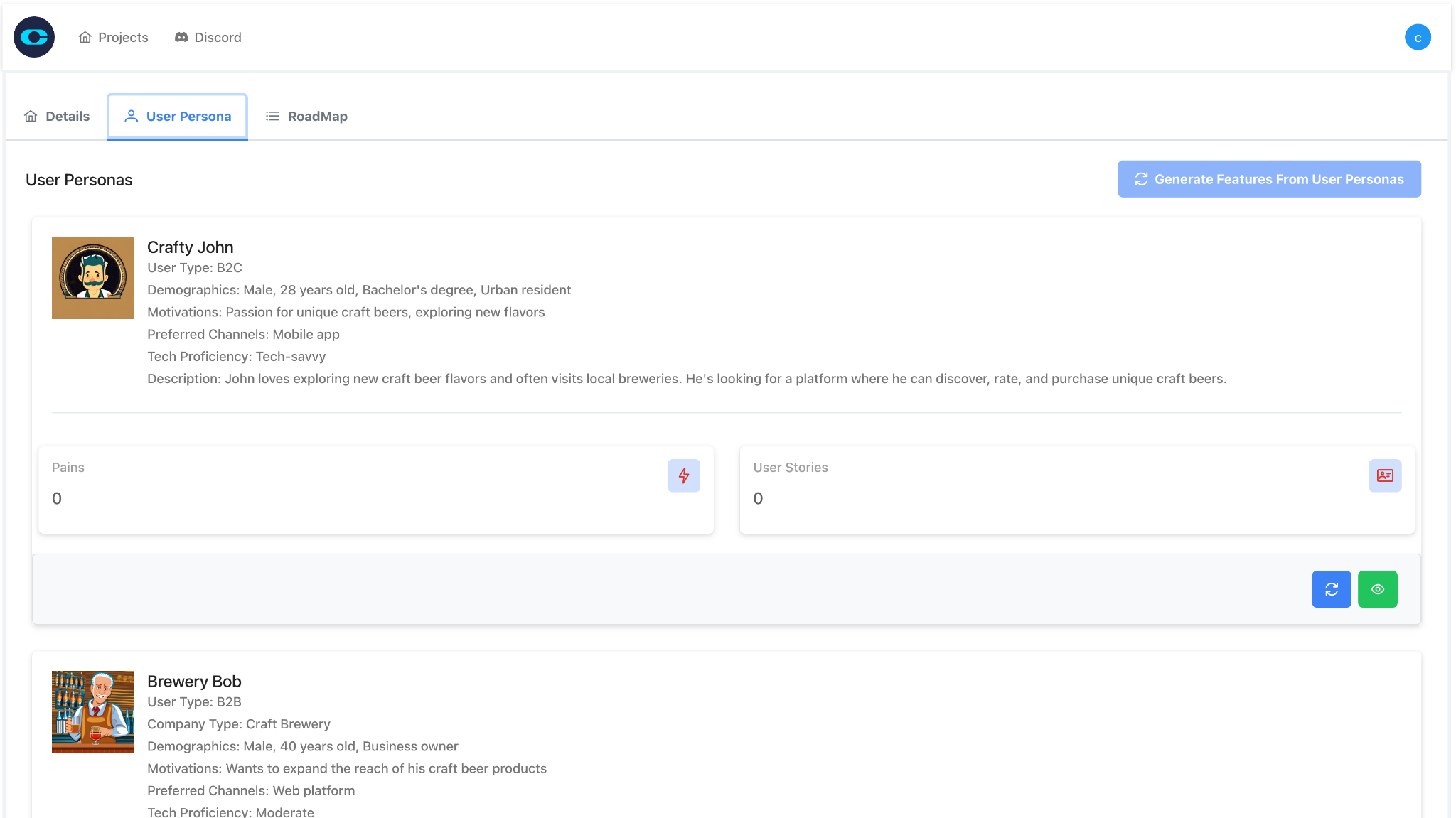
Once generated, you'll see a list of user personas. Review them to ensure they align with your business goals.
- The more specific your business summary, the more accurate your generated personas will be.
- You can generate multiple sets of personas and choose the one that best fits your needs.